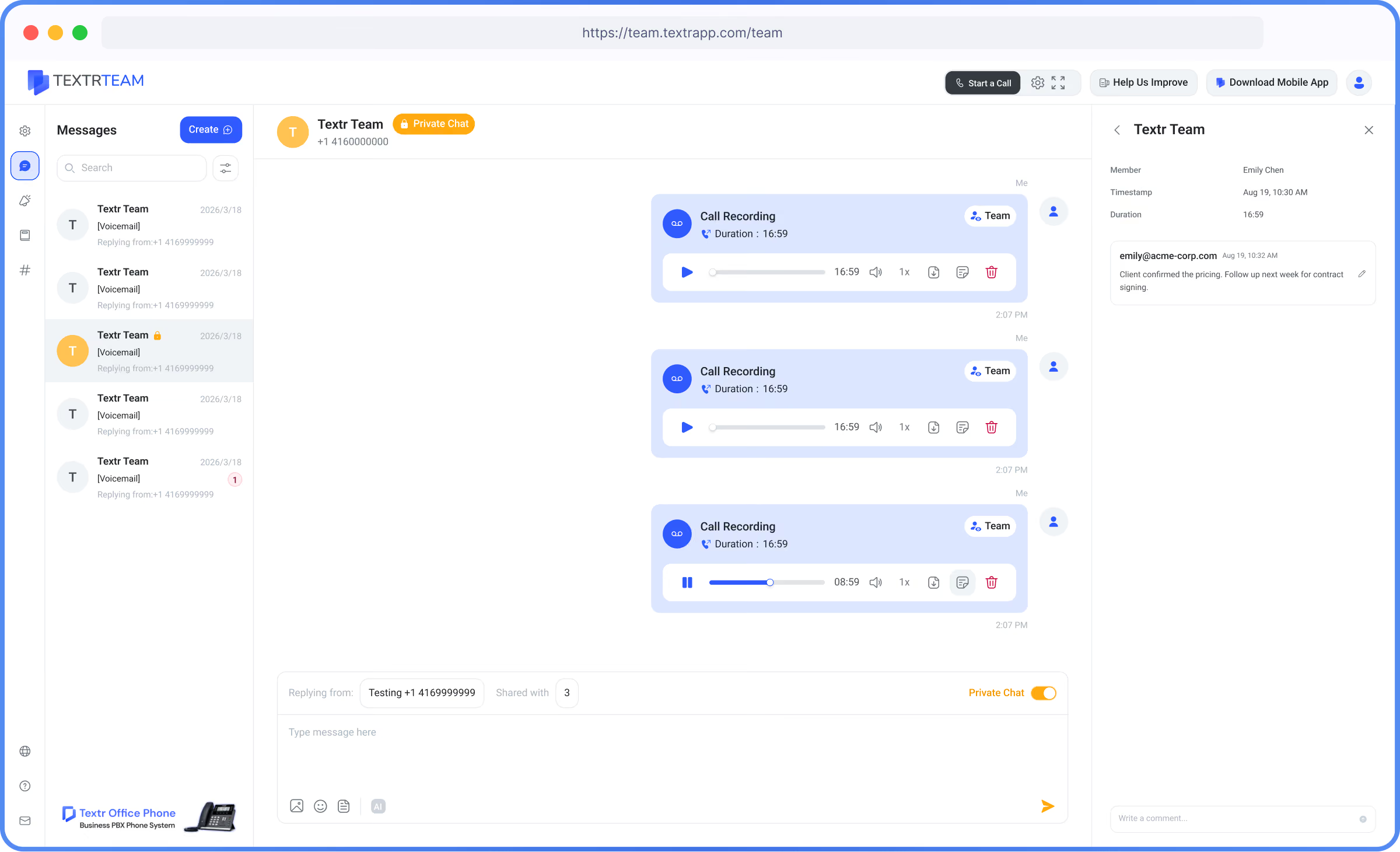
Reliable Call Recording for Training and Compliance

Record and review important business calls to capture key details, ensure service quality, and train your team.

Common Challenges

Critical conversation details forgotten or disputed after verbal discussions
Lack of visibility into customer service quality and team phone etiquette
Onboarding new employees without real-life call examples and coaching recordings
No verifiable audio records to resolve client disputes or meet compliance requirements
Solution

How Call Recording Can Help You

Textr Team Call Recording captures incoming and outgoing audio calls securely for playback and archiving.

Instead of relying only on memory or handwritten notes, authorized team members can replay recorded conversations when details need to be confirmed. Recordings can also provide useful context for customer follow-ups, service reviews, and employee training.

Key Benefits

Never Miss Call Details
Replay verbal agreements, order details, and client requests accurately.
Quality & Dispute Control
Review recorded calls to resolve customer disputes and verify facts.
Accelerated Team Training
Build a training library of successful sales and support conversations.

How Call Recording Works

1
Step 1: Enable Automatic Recording
Turn on Enable Auto Recording for the specific phone numbers.
2
Step 2: Set Recording Access
Choose Share Recordings with Team to give team members access.

3
Step 3: Play Back and Review
On Call History, play recordings for training, quality review, or dispute resolution.

Encrypted Audio Archive & Playback

Access important business conversations without relying on a separate recording device or personal phone.
Review the available call details and play recordings from Textr Team when you need to revisit a customer conversation.

Works Better With

Shared Numbers
Record calls handled on your shared business lines.
Voicemail-to-Text
Scan transcriptions alongside call recordings.
Contact Management
Store call audio history under customer profiles.

Availability & Limits

01
Available on Textr Team Web, iOS and Android apps.
02
Complies with cloud audio storage encryption standards.
03
Auto-recording can be enabled for selected or all team numbers.

FAQ’s

Can I use call recording on the Textr Team web app?
How long are call recordings stored?
Can team members keep private contact lists?
Is Call Recording included in my plan?

Keep Every Customer Contact Organized

Bring customer details, notes, and tags into one shared workspace so your team can find information faster and follow up with confidence.