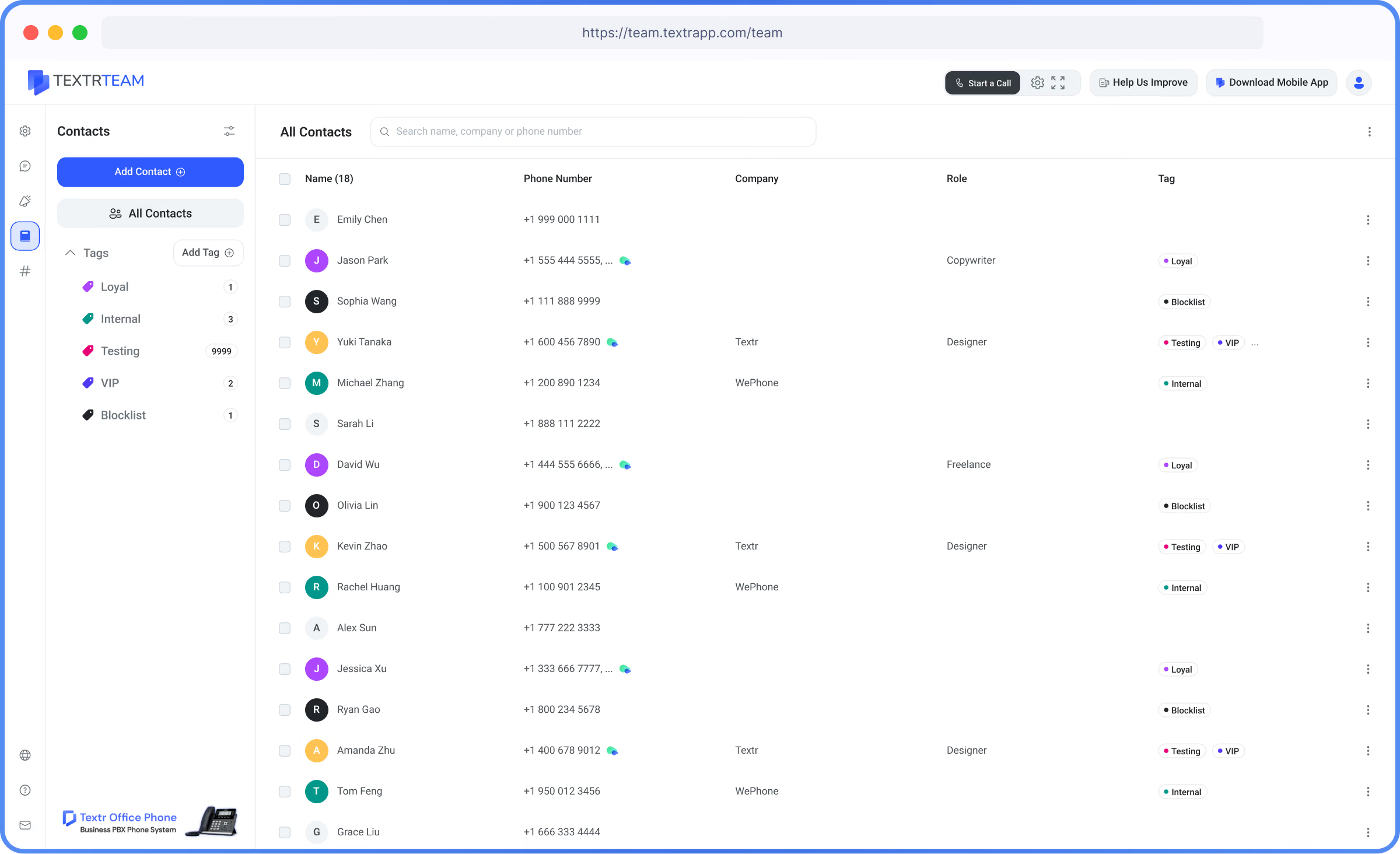
Shared Contact Management for Better Customer Follow-Ups

Keep customer details organized in one shared workspace. Give your team access to the names, phone numbers, notes, tags, and context they need to handle every conversation.

Common Challenges

Client contact information scattered across personal phones and spreadsheets
Duplicate contact entries leading to confused customer follow-ups
Team members lacking client background and interaction notes when answering calls
No real-time team-wide contact list sync for instant caller recognition
Solution

How Contact Management Can Help You

Textr Team Contact Management keeps customer information organized and accessible in one shared place.

Add contact details, company information, notes, and tags to create a clear customer record. Authorized team members can use the same contact list, making it easier to identify customers, understand their background, and continue conversations without starting over.

Key Benefits

Zero Data Fragmentation
Keep all client numbers, business information, and notes in one secure location.
Instant Caller Recognition
Incoming calls display client names and company details immediately.
Team-Wide Sync
Updates to contact records are instantly reflected for all teammates.

How Contact Management Works

1
Step 1: Add Your Contacts
Create contacts individually or import an existing contact list into Textr Team.
2
Step 2: Add Details and Tags
Save contact information, company details, notes, and custom tags to keep each record organized.
3
Step 3: Find and Contact Customers
Search your shared contact list, review the available context, and start a call or message from Textr Team.

Shared Business Contact List

Keep customer information in one place—not scattered across phones, spreadsheets, and messages. Give your team a clear view of every contact, so they can prepare faster and follow up efficiently.

Works Better With

Shared Numbers
Match incoming business calls with client records.
Call Recording
Real-time call recordings directly to client contacts.
Business SMS
Send text messages directly from contact profiles.

Availability & Limits

01
Included on all Textr Team accounts.
02
Supports unlimited business contact storage.
03
Role-based permission options for administrative control.

FAQ’s

Can I import contacts from CSV files?
Can I organize contacts into groups?
Can I access contacts from a computer?
Is Contact Management included in my plan?

Text customers from your business number

Connect with clients faster using 2-way business SMS and MMS from one unified workspace.